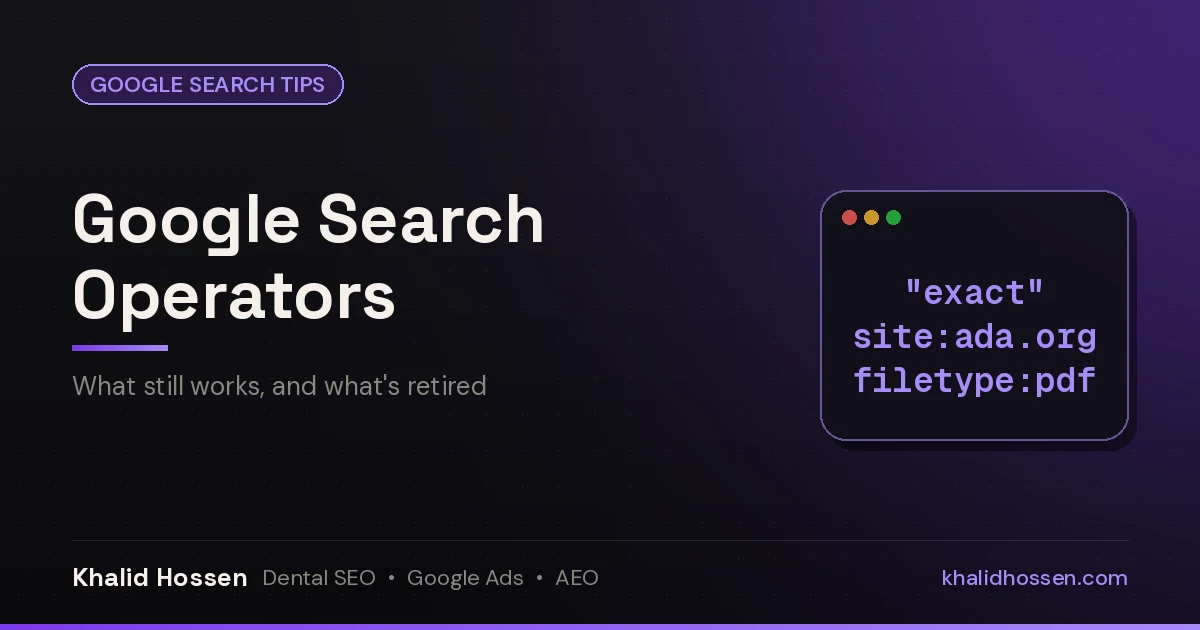
Quick answer: Google search operators are commands you type into the search box to narrow results. Google's own help page documents quotes for an exact match ("tallest building"), site: for one website, a minus sign to exclude a word, before: and after: for dates, and filetype: for a file format. Google's Advanced Search page adds OR and number ranges (10..35). Never put a space after the colon. cache:, related:, info:, link: and + have been retired.
Most operator cheat sheets were written years ago and never updated, so they still list commands Google switched off. This guide sorts every common operator into three groups: the ones Google documents today, the unofficial ones that still work, and the ones that are gone. Each status links to its source.
The one rule that breaks most searches
Don't put a space between the operator and your term. Google's example: site:nytimes.com works, site: nytimes.com doesn't (Google Search Help). The same applies to filetype:pdf, -site: and every other operator with a colon. Type OR in capital letters, or Google treats it as an ordinary word.
Operators Google officially documents
These are listed on Google's "Refine Google searches" help page or its Advanced Search page, so they're the safest to rely on.
| Operator | What it does | Example |
|---|---|---|
"..." |
Exact match for a word or phrase | "emergency dentist" |
site: |
Results from one domain, subdomain or URL prefix | site:ada.org implants |
- |
Excludes a word, phrase or site | jaguar speed -car |
before: |
Documents last updated before a date (year, YYYY-MM-DD or YYYY/MM/DD) | heat pump rebate before:2025 |
after: |
Documents last updated after a date | heat pump rebate after:2026-01-01 |
before: + after: |
A date range | after:2026-03-01 before:2026-06-30 |
filetype: |
One file format | patient intake form filetype:pdf |
OR |
Either term (Advanced Search: "any of these words") | furnace OR boiler repair |
.. |
A number range (Advanced Search: "numbers ranging from") | water heater 40..50 gallon |
Three of these have their own step-by-step guides:
- Minus sign for words and phrases: how to exclude words from Google search results covers
-"exact phrases", several exclusions at once and Verbatim mode. - Minus with site: how to exclude a website from your Google search covers several sites, subdomains, folders and mobile.
- filetype: how to search Google by filetype lists every format Google indexes and what to do when it fails.
What site: will and won't tell you
site: accepts a whole domain (site:example.com includes www and other subdomains) or a URL prefix (site:https://www.example.com/blog). Google's Search Central page adds two limits site owners should know: a site: search doesn't necessarily return every indexed URL, and with no other words the results aren't ranked (Google Search Central). For a reliable count of your indexed pages, use Search Console, and use its URL Inspection tool to check one URL.
Unofficial operators that still work
Google doesn't document these on its current help pages, so it can change them without notice. Current SEO references still list them as working (Search Engine Land, updated December 2024; Semrush). Treat the result counts they show as rough.
| Operator | What it does | Example |
|---|---|---|
intitle: / allintitle: |
A word (or all the words) in the page title | intitle:"write for us" plumbing |
inurl: / allinurl: |
A word (or all the words) in the URL | site:example.com inurl:tag |
intext: / allintext: |
A word (or all the words) in the page text | intext:"same-day crowns" |
AROUND(n) |
Two words within n words of each other | dentist AROUND(3) sedation |
* |
Wildcard for an unknown word inside quotes | "how much does a * cost" |
| |
Same as OR |
site:reddit.com | site:quora.com |
ext: |
Same as filetype: |
ext:xlsx budget template |
Google's Advanced Search page has a "terms appearing" menu (in the title, text or URL of the page) if you'd rather not type these.
Retired operators: don't rely on these
Many cheat sheets, some updated recently, still recommend these. They no longer do what they used to.
| Operator | What it did | Status | Use instead |
|---|---|---|---|
cache: |
Showed Google's saved copy of a page | Retired in 2024. Google removed cache links in early 2024, and the operator stopped working in September 2024 (Search Engine Land) | URL Inspection in Search Console for your own pages. For older versions of any page, the Wayback Machine link in "About this result" |
related: |
Listed sites similar to a URL | Retired in 2023. Google's Search Liaison confirmed in July 2023 that it was "going away" (Search Engine Land) | Search your main service and city, and note who ranks |
info: |
Showed details and the canonical URL for a page | Retired in 2019, when Google moved canonical details into URL Inspection (Search Engine Land) | URL Inspection in Search Console |
link: |
Listed pages linking to a URL | Retired in 2017. Google confirmed it no longer works (Search Engine Land) | The Links report in Search Console |
+ |
Forced an exact word | Removed in 2011. Google said to use quotes around a single word instead (Search Engine Land) | "word" or the Verbatim tool |
~ |
Added synonyms | Dropped (Search Engine Land). Google includes synonyms on its own | Nothing needed. Use Verbatim to turn synonyms off |
How SEOs and local businesses use operators
Operators are a fast, free way to answer questions about your own site and your market. These are the checks I run most often for dental practices and home-service companies:
- Find your indexed pages.
site:yourdomain.comgives a quick sample. Add-site:www.yourdomain.comto spot forgotten subdomains such as old staging sites, andsite:yourdomain.com inurl:tagto find thin tag or archive pages that shouldn't be in Google. - Check your citations and NAP. Search your phone number in quotes with your own site excluded:
"(555) 555-0123" -site:yourdomain.com. Every directory that lists you shows up, and so does any listing with an old name or address. Repeat with your old phone number or address if you've moved. - Look at competitors.
site:competitor.complus a service word shows which pages they've built for it.intitle:"emergency plumber" [city]shows who targets that phrase in their titles. - Spot duplicate content. Copy a distinctive sentence from your service page, put it in quotes and exclude your own site. If other sites show up, your text has been copied, or a page you wrote for one location is on another site you run.
- Find recent coverage.
"Your Business Name" -site:yourdomain.com after:2026-01-01shows mentions from this year, which is useful for review and press monitoring.
These checks are a starting point, not an audit. Citations, duplicate listings and indexing problems are a big part of local SEO, because Google and AI tools both compare your details across the web.
Want a second pair of eyes?
Get a free AI Search + Google Ads Visibility Audit: what AI answers (ChatGPT, Gemini, AI Overviews) say about your practice or business, your Google Maps ranking and Business Profile, how well your website converts, an optional Google Ads check, and a lead-response check of after-hours calls, missed-call text-back and form response time. No pitch, just facts. You'll get your audit within 3 business days.
Get a free audit · Book a 30-minute strategy call
Related Google search guides
- How to exclude words from Google search
- How to exclude a website from Google search
- How to search Google by filetype
- How to check if a link redirects
FAQ
What are Google search operators?
Google search operators are special characters and commands, such as quotes, a minus sign or site:, that you add to a search to narrow the results. Type them with no space after the colon, for example site:example.com.
Which search operators does Google officially support?
Google's help page documents quotes, site:, the minus sign, before:, after: and filetype:. Its Advanced Search page adds OR and number ranges with two dots. Others, such as intitle: and inurl:, still work but aren't documented, so Google can change them.
Does the Google cache: operator still work?
No. Google removed cache links in early 2024, and the cache: operator stopped working later that year. Site owners can use URL Inspection in Search Console, and anyone can use the Wayback Machine link in "About this result".
How do I search only one website on Google?
Type site: and the domain before or after your words, for example site:ada.org implants. You can also use a URL prefix, such as site:https://www.example.com/blog, to search one section.
How do I search Google for a date range?
Combine after: and before: with dates in YYYY-MM-DD format, for example after:2026-03-01 before:2026-06-30. Google says these filter by when a document was last updated.
Why is my Google search operator not working?
The usual causes are a space after the colon, a lowercase or, or a retired operator such as cache:, related:, info: or link:. Unofficial operators like intitle: can also return inconsistent results.
Khalid Hossen has worked in SEO and Google Ads for 14+ years, with 150+ dental & local service businesses served, and helped scale two dental practices to $5M. No long-term contracts. Get a free audit of how your practice or business shows up in Google, Google Maps and AI answers.