Quick answer: SEO (search engine optimization) is the work of helping search engines find, understand and show your pages to people searching for what you offer. Google works in three stages: crawling, indexing and serving results. SEO has four parts: technical health, on-page content, off-page signals like links and reviews, and, for local businesses, local SEO.
If you run a practice or a service business, you don't need to become an SEO expert. You do need to know enough to spot bad advice and ask the right questions. This guide covers the basics in plain English, with links to Google's own documentation so you can check anything I say.
What is SEO?
SEO is everything you do to earn unpaid visibility in search results. Paid ads (PPC) sit above or around those results, and you pay per click. SEO results don't cost per click, but they take longer to build. Many local businesses use both: ads for demand right now, SEO for steady visibility over time. My PPC basics guide covers the paid side.
Why SEO matters for a local business
When someone needs a dentist, a plumber or an HVAC repair, the search box is usually where they start. SEO decides whether your business is one of the options they see, both in the regular results and in the map results. A few reasons it's worth the effort:
- It reaches people while they're looking. Someone searching "emergency dentist near me" already has the need. You don't have to create it.
- It keeps working between campaigns. A page that ranks keeps bringing visitors after you stop working on it, though it needs upkeep to hold its place.
- It builds trust. Showing up for the searches that matter, with a clear site and recent reviews, tells people you're an established option.
- It makes your ads work better too. A clear, fast page helps both organic visitors and people who click an ad.
How Google Search works
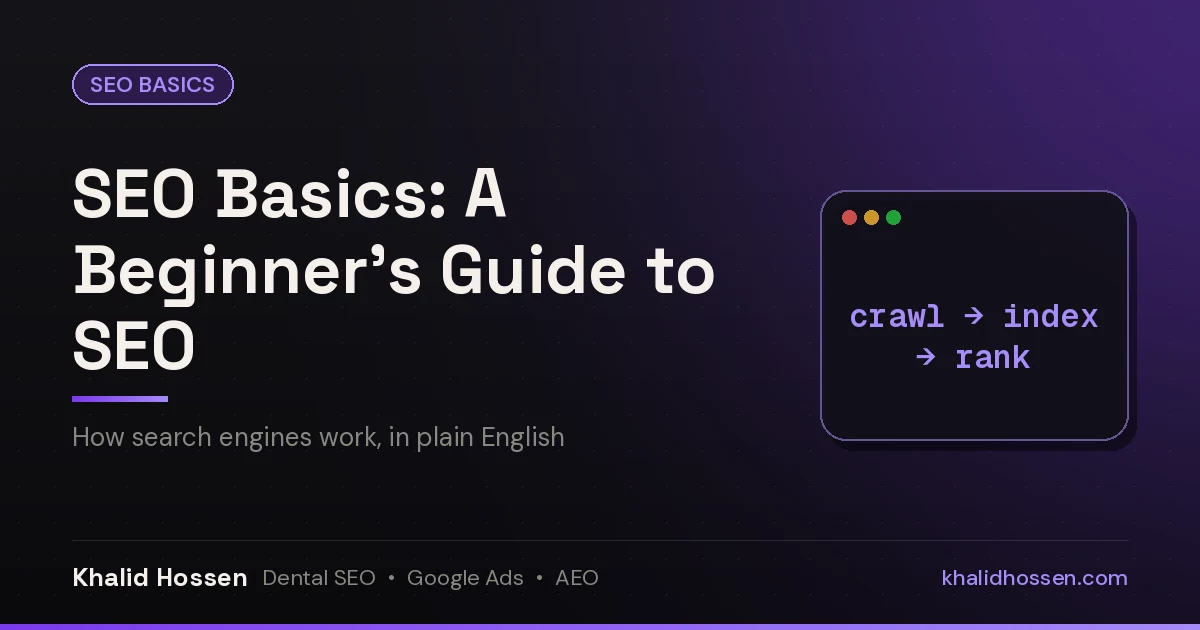
Google describes three stages, and not every page makes it through all three (Google Search Central):
- Crawling: Google's crawler, Googlebot, finds pages through links and sitemaps and downloads them.
- Indexing: Google analyzes the page's text, images and video and stores it in its index.
- Serving results: when someone searches, Google picks the most relevant, useful pages from the index and ranks them.
Google says it doesn't accept payment to crawl a site more often or rank it higher. If a page isn't indexed, it can't rank, so that's the first thing to check.
What Google looks at when it ranks a page
Google doesn't publish a full list of ranking factors, but it does describe the main kinds of signals it uses. On its How Search works site, it groups them as meaning, relevance, quality, usability and context. It also says the weight of each one depends on the search. In plain terms:
- Meaning: what the person is really asking for, including spelling mistakes and synonyms. "Tooth pain at night" and "toothache that keeps me up" are the same need.
- Relevance: whether your page covers that topic. The simplest signal is that the page uses the words people search with, in headings and body text.
- Quality: whether the page shows expertise, experience and trustworthiness. Google's guide to helpful, reliable, people-first content lists questions you can ask about your own pages. Links from respected sites in your field are one of the signals of quality.
- Usability: whether the page loads quickly and works well on a phone. Google's Core Web Vitals measure loading, responsiveness and visual stability. Interaction to Next Paint (INP) replaced First Input Delay as the responsiveness metric in March 2024 (web.dev).
- Context: the searcher's location, language and settings. That's why "dentist" shows different businesses in different towns.
The four parts of SEO
1. Technical SEO
Can search engines crawl and index your site? This covers your robots.txt file, XML sitemap, site speed, mobile layout, HTTPS, redirects and duplicate pages. Google indexes the mobile version of your site, so a page that doesn't work on a phone has a real problem.
2. On-page SEO
Does each page clearly answer what searchers want? Titles, headings, content, images, internal links and structured data.
3. Off-page SEO
What do other sites say about you? Mainly links and mentions from relevant sites, plus reviews.
4. Local SEO
For businesses that serve one area, your Google Business Profile, reviews and consistent contact details decide whether you show up in the map results. My local SEO strategies guide covers this part.
Set up your site so search engines can use it
If you're building a new site or rebuilding an old one, these choices make SEO easier later:
- Domain: pick a short name that's easy to say and spell, ideally your business name. Keep it registered and renewed, because changing domains later means a full migration.
- Platform: use a website platform that lets you edit titles, meta descriptions, headings, URLs and redirects yourself, and that creates an XML sitemap.
- Hosting: choose hosting that keeps the site fast and online. A slow or often-down site hurts visitors first and rankings second.
- HTTPS: serve every page over HTTPS. Most hosts include a certificate.
- Simple structure: one page per service, linked from your main menu, with short, readable URLs such as /dental-implants/. Anyone should be able to reach any important page in a few clicks.
- Sitemap and robots.txt: the sitemap lists the pages you want found. The robots.txt file tells crawlers what not to crawl. Check that it isn't blocking your whole site, especially after a rebuild.
Keyword basics
Keywords are the words people type or say when they search. Picking the right ones for each page is most of the battle. The basic process:
- Start with seed terms. Write down the services you offer and the words customers use for them, such as "teeth whitening", "AC repair" or "water heater installation".
- See what your competitors rank for. Search your main services and note which pages show up and how they're organized.
- Check search volume. A keyword tool shows roughly how often each term is searched. For local services, small numbers can still be very valuable.
- Match the intent. Look at what Google already shows for the search. If it's all service pages, a blog post probably won't rank there, and the reverse is also true.
- Prioritize. Start with terms closest to a booking or a call, then work outward to questions and research searches.
My keyword research guide walks through each step with examples.
On-page basics
Once you know the search a page should win, the page itself has to make that obvious:
- Title tag: the clickable headline in search results. Put the main topic near the start and keep it readable. Google may rewrite titles it thinks don't describe the page well (Google Search Central).
- Meta description: the short summary under the title. It doesn't directly affect rankings, but a clear one can earn the click. Google sometimes builds its own snippet from the page instead.
- Headings: one main heading that matches the topic, then subheadings that break the page into the questions people ask.
- Content: answer the main question early, then add the detail. Use real photos and specifics about your area where they help.
- Images: compress them so they load quickly and give each one descriptive alt text, which helps screen-reader users and helps Google understand the image.
- Links: link to your related pages so visitors and crawlers can find them, and link out to sources when you cite a fact.
My on-page SEO checklist goes through each item in more depth.
Link basics
Links from other sites act like references. Not all of them count the same:
- Relevance matters most. A link from your local chamber of commerce or a dental association means more for a practice than a link from an unrelated blog.
- Trusted sources carry more weight. A mention in a local news story is worth more than dozens of links from low-quality directories.
- Anchor text should be natural. The clickable words in the link describe your page. Your business name or a plain description is fine. Lots of exact-match keyword anchors can look manipulative.
- Placement counts. A link inside the body of a relevant article tends to be more useful than one in a footer or a long list.
- Some links are marked as hints. Links tagged nofollow, sponsored or ugc tell Google not to treat them as an endorsement. Since 2019, Google has treated these as hints rather than strict rules (Google Search Central).
Paid links that pass ranking credit break Google's spam policies. My guide to high-quality backlinks covers ways to earn the right kind.
How to get started: five free steps
- Set up Google Search Console. It's free and shows which searches you appear for, which pages are indexed and any problems Google finds.
- Set up Bing Webmaster Tools. It's free too, and you can import your site straight from Search Console.
- Submit your XML sitemap in both tools.
- Check what's indexed. Use the Page indexing report in Search Console. For a quick look, search
site:yourdomain.comin Google. My guide to Google search operators explains what that search can and can't tell you. - Pick one page to improve. Choose a page that already gets impressions and make it the clearest answer to its main search.
Free tools worth knowing
| Tool | What it's for |
|---|---|
| Google Search Console | Searches you appear for, clicks, indexing problems and sitemaps |
| Bing Webmaster Tools | The same kind of data for Bing |
| Google Analytics 4 | What visitors do on your site, including calls, forms and bookings set up as key events |
| PageSpeed Insights | Page speed and Core Web Vitals for any URL |
| Rich Results Test | Whether your structured data is valid and eligible for rich results |
| Google Keyword Planner | Search volume ranges for keywords (you need a Google Ads account, but you don't have to run ads) |
| Google Business Profile | Your listing in Google Maps and the local results |
What about AI search?
Google's AI Overviews and AI Mode pull from the same index as regular search. Google says that "there are no additional requirements to appear in AI Overviews or AI Mode, nor other special optimizations necessary" (Google Search Central). The basics in this guide are the foundation. Clear, answer-first pages and consistent facts about your business across the web help with ChatGPT and other AI tools too. My AEO and GEO service covers that side in more depth.
Old SEO advice you can ignore
- Meta keywords. Google says the meta keywords tag "is not used by Google Search, and it has no effect on indexing and ranking at all" (Google Search Central).
- Keyword density targets. There's no magic percentage. Write for the reader and use the words they use.
- Submitting to hundreds of search engines. Google and Bing find sites through links and sitemaps.
- Buying links. Google's spam policies treat it as link spam.
- Anyone who promises the first spot. Google's own advice on hiring an SEO says that if someone promises their changes will put you in first place, "find someone else" (Google Search Central).
How long does SEO take?
Technical fixes and better titles can show results within weeks once Google recrawls the pages. New content, links and reviews usually take months to build up. Track the same searches in Search Console every month and judge the trend, not single days.
Need a hand?
If you'd rather talk it through with someone who does this every day, I offer SEO consulting, local SEO, and dental marketing for practices and home service businesses. You talk to me, the person doing the work. The free audit is an easy first step.
Get a free audit · Book a 30-minute strategy call
Related guides
- Keyword research for SEO: a step-by-step guide
- On-page SEO: a practical checklist
- SEO trends and updates
FAQ
What is SEO in simple terms?
SEO is the work of helping search engines find, understand and show your pages to people searching for what you offer, without paying for each click.
How does Google decide what to rank?
Google crawls pages, indexes them, then ranks the most relevant and useful pages for each search. It uses many signals, including how well the content matches the search, page quality and links from other sites.
Is SEO the same for every search engine?
The basics are the same everywhere: crawlable pages, clear content that answers the search and links from relevant sites. Each search engine has its own systems and tools, so set up both Google Search Console and Bing Webmaster Tools.
Can I do SEO myself?
Yes, especially the basics: Search Console, a clear page for each service, a complete Google Business Profile and steady reviews. Technical problems and competitive markets are where outside help usually pays off.
Does the meta keywords tag help SEO?
No. Google says the meta keywords tag isn't used by Google Search and has no effect on indexing or ranking.
Can anyone promise a first-place ranking on Google?
No. Google's own advice says that if someone promises their changes will get you first place in search results, you should find someone else.
Do I need to do anything special for AI Overviews?
Google says there are no additional requirements or special optimizations for AI Overviews or AI Mode. Pages need to be indexed and eligible to show in regular search.
Khalid Hossen has worked in SEO and Google Ads for 14+ years, with 150+ dental & local service businesses served, and helped scale two dental practices to $5M. No long-term contracts. Get a free audit of how your practice or business shows up in Google, Google Maps and AI answers.